CMS
the platform you won't outgrow
How do I choose the right CMS for my business — instead of picking one on hype or someone else's recommendation?
You don't have a platform problem.
You have a process problem.
Every platform looks viable from the trial screen — so you research for months and build nothing, or impulse-pick and hit the limits later. Ring true?
You pick from a tutorial. A walkthrough looked easy, so you chose it — then hit architectural limits months into real content work.
You compare by feature count. The longest checklist wins, instead of the platform whose trade-offs actually match your situation.
You picked for easy. The drag-and-drop builder felt friendly on day one — then walled you off the moment you needed to customize or extend it.
You shopped with no requirements. Nothing written down about what "works for my business" means — so every platform looks equally good.
From a platform you inherited to one you can defend
"I picked my CMS because a tutorial recommended it, a designer used it, or everyone seemed to be using it — and I've never actually tested whether it fits my business."
"I mapped the CMS landscape by category, defined my requirements, assessed my real technical capacity, scored my shortlist against weighted criteria, stress-tested the winner, and configured a foundation I can build on with confidence."
The shift: CMS selection isn't a product decision. It's an architecture decision — the platform you choose quietly shapes how you work for years.
You don't just watch lessons.
You leave with 12 real artifacts.
Working documents you actually use — not another comparison blog post. By the end they add up to a scored, defensible CMS choice and a configured foundation.

CMS Landscape Framework
Five platform categories mapped by trade-off and use case.
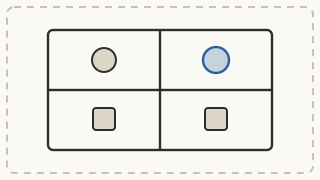
Platform Trade-Off Matrix
Two candidates scored across six dimensions — ease, speed, cost, ecosystem, support, performance.

Vendor Evaluation Report
One platform investigated on true cost, hard limits, migration, support, ecosystem health.

CMS Compatibility Check
Five requirements rated Native / Extended / Incompatible for your platform.
CMS Requirements Document
A five-category list with Must / Should / Nice classifications.

Technical Capacity Assessment
Skill profile, learning willingness, support inventory, and your capacity tier.
Platform Decision Scorecard
Weighted criteria, evidence-based scores, and a final recommendation.

Platform Stress Test
Five operational scenarios run pass / fail at your projected scale.
Site Architecture Blueprint
Page hierarchy, navigation logic, content types, and URL structure.
Foundation Configuration Checklist
Permalinks, media, security, and backup — locked in from day one.

Platform Readiness Audit
A systematic go / no-go check before you build content on top.

Infrastructure Scaffold
Platform-specific setup complete for your directory or niche.
Three moves: survey what exists → select what fits → set it up right
Survey
What existsWhat content management systems exist and what each one is built for.
- Map Map the CMS landscape by category
- Compare Compare platforms across six trade-offs
- Investigate Investigate vendors past the trial
- Contextualize Check directory / niche compatibility
Selection
What fitsMatching the right platform to your business type, skill level, and goals.
- Clarify Define your requirements
- Calibrate Assess your technical capacity
- Select Score the shortlist for a defensible pick
- Validate Stress-test the winner at scale
Setup
Set it upGetting the foundation configured so everything else builds on solid ground.
- Plan Blueprint the site architecture
- Configure Lock the foundation settings
- Audit Run the platform readiness audit
- Prepare Scaffold your directory / niche infrastructure
More than videos —
a learning system
Every lesson lives in a platform built to help you actually absorb, apply, and return to the work.
AI Chat per lesson
Ask questions and pull key points, action items, and reflections from any lesson.
Searchable transcripts
The full text of every video — search it, scan it, jump straight to the part you need.
Highlights
Mark the passages that matter and filter the transcript down to just your highlights.
Bookmarks
Save the exact moments you'll want to come back to and reopen them in a click.
Notes
Keep personal notes saved right inside each lesson, exactly where you wrote them.
Playlists
Build custom collections of lessons and sequence the path that fits you.
Certificate
Auto-issued the moment you complete every lesson in the course.
Podcast mode
Listen to the course as audio in any podcast app — learn on the move.
Video controls
Closed captions, speed controls, picture-in-picture, and theatre mode — watch your way.
Favorites
Heart any lesson to pin it to your favorites for quick access later.
History & resume
Pick up exactly where you left off — your place is always saved.
Threaded comments
Discuss each lesson with other students in threaded conversations.
Is this course your right next step?
This is for you if…
- You're choosing a CMS for a new business and want a defensible decision, not a guess.
- You're running on a platform you didn't choose deliberately and want to evaluate the fit.
- You're building a directory and need a CMS that handles structured data, faceted search, and member submissions at scale.
- You want to configure a proper foundation the first time rather than rebuild it later.
- You want real artifacts — a requirements doc, a scored decision, a readiness audit — not just content.
This is NOT for you if…
- You already have a well-chosen CMS configured and running, past this decision.
- You want a recommendation for the "best" platform — this teaches a process, not a pick.
- You want a quick answer without doing the evaluation work.
- You're building a simple personal site with no plans to grow.
Be one of the first to tell your story
These courses are brand new. Once you've done the work, tell us how it changed your thinking — your words could be the first testimonial featured right here.
"Here's how this course changed the way I…"
your story here
"The part that surprised me most was…"
your story here
Three ways to go deeper
This course is one piece of a bigger system. Here's the whole map — and where you are on it.
University
Learn at your own paceThis course — full University access is $80 on its own.
Launchpad
Get the tools to execute-
Ebook$10narrative deep-dive
-
Checklists$15self-assessment diagnostic
-
Journal$20reflective application + AI prompts
-
Workbook$25full execution tracker
One of each — the full toolkit for this course is $70 on its own.
You're buying the University piece — the course, its platform, and the artifacts you produce. Bundle all three and save — see pricing below. Each column is also available à la carte: University $80, Launchpad $70, Events $280. See how we build →
Everything. Course price.
Lock in the full bundle today. Every piece ships to your account as it's built — and the price only goes up from here.
$430 value when complete
Everything, for the price of just the course.
- 12 lessons + AI Chat, transcripts, highlights, bookmarks
- Ebook + Checklists + Journal + Workbook shipping soon
- Workshop + Sprint + Challenge access shipping soon
- Certificate on completion
- Clinics included free — $20 each on their own
The price goes up as content ships — the founding price never comes back.
Not ready to commit? Attend our live workshops, sprints, and challenges for free — just show up. No signup, no credit card. If you like what you experience, the founding price locks in everything permanently.
Every piece below ships to your account as it's built — free, at your founding price:
- CMS — 12 lessons Digital$80 valueLive now
- Ebook Digital$10 valueIncluded
- Checklists Digital$15 valueIncluded
- Journal + AI Prompts Digital$20 valueIncluded
- Workbook Digital$25 valueIncluded
- Workshop Events$40 valueIncluded
- Sprint Events$80 valueIncluded
- Challenge Events$160 valueIncluded
- Total value when complete$430You pay $80
↑ as the tools ship, the price rises
↑ as the live events go up, it rises again
Full $430 value, fully builtWhat ships when?+
- Week 1: Workshop Part A (courses 1–3) + Ebook ships.
- Week 2: Workshop Part B (courses 4–6) + video lessons go live + Checklists ship.
- Week 3: Sprint recordings + Journal ships.
- Week 4: Challenge recordings + Workbook ships.
Or start bigger — the same deal at every scope:
Course
1 course + tools + events
$80System
All 6 Architecture courses
$320Pillar
All 36 Framework courses
$960University
All 324 courses
$4,320Same deal at every scope — everything included, price goes up as content ships. See How We Build →
Prefer one piece? Single University, Launchpad, or Events access. · See How We Build →
Founding Access — CMS
Full bundle (University + Launchpad + Events) · $80 · pre-sale founding rate
[ Simplero checkout / order-form embed renders here ]
Wire this to the Simplero Founding bundle product for this course.
The second step of the Architecture journey
CMS is course 2 of 6. The single model you locked in Uno decides which CMS architecture actually fits — so you choose the platform everything else publishes from.
You are here — choose the platform.
You're not doing this alone
Every lesson has a discussion where you share your work and read how others approached the same prompt — so you see the patterns, not just your own answer.
“Post your experience, read two others, and notice the patterns.”
Per-pillar discussion forums are coming as the community grows.
Before you decide
Can't you just tell me the best CMS?+
No course can — "best" depends on your requirements, technical capacity, and model. This teaches the process that produces your defensible pick, not a one-size recommendation.
I already have a CMS — is this still useful?+
Yes. You run your current platform through the same evaluation and stress test, so you either confirm it fits or find out now — not in month six.
Is this a Brilliant Directories / Simplero / High Level tutorial?+
No — it's platform-agnostic. The decision framework helps you choose; it doesn't click through one platform's settings step by step.
Why evaluate for hours instead of just starting?+
Because the architectural limits you can't see in a trial are the ones that cost months to undo. A few hours now saves a rebuild later.
How much time does it really take?+
8–12 hours across 7–10 days, with gaps for vendor testing and hands-on platform trials between modules.
What do I actually walk away with?+
12 working artifacts — from a CMS Requirements Document and Platform Decision Scorecard to a Foundation Configuration Checklist and Readiness Audit.
How do I choose the right CMS on process — not hype — and configure it correctly from the start?
Stop researching forever or impulse-picking. Land a defensible CMS choice and build on solid ground.